idnsport Mobile App
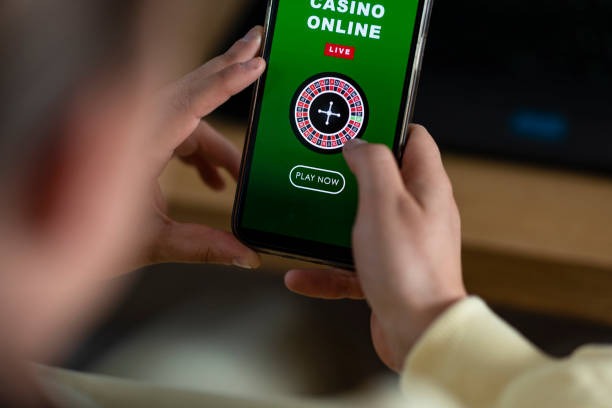
Mobile-first access to our platform means you can manage deposits, track live-dealer sessions, and follow Liga 1 or Piala AFF matches from anywhere your device reaches. We at idnsport build for Android, iOS browser, and progressive web app environments, so you are not confined to a single installation method. Each pathway—APK download, browser redirect, or web-app bookmark—opens the same account, the same payment rails (DANA, e-wallet, mobile banking, local payment, online payment, e-wallet, mobile banking, local payment, online payment, e-wallet), and the same game library. Your balance and activity stay synchronized across all entry points.
- SHA256 Match
- Installin
- LoginOTP Verification
- StartFirst Game
Account opening starts with email verification, KYC document submission, and a chosen deposit method. Once verified, you can access our sportsbook markets, live-dealer tables (blackjack, roulette, baccarat, Dragon Tiger), and slot games (Aviator, Sweet Bonanza, Gates of Olympus, Fortune Tiger, Mahjong Ways) from your mobile device without re-entering credentials each session. We at idnsport store your session token securely so repeated logins are not required unless you log out explicitly.
Whether you are in Jakarta, Surabaya, Bandung, Medan, or Semarang, our mobile platform adapts to local network conditions and payment availability. We do not promise uniform speeds or instant anything—network variance is real—but our design centres on offline caching, progressive loading, and graceful fallback so your experience remains usable even on weaker connections. Our services are available only where local law permits. Users are responsible for verifying that access and use comply with their own jurisdiction's law.
How to access idnsport on mobile
We offer three primary paths to reach our platform on a mobile device. Each one connects to the same account and balance, so your choice depends on your device type and preference for installation versus browser access.
Android APK
Direct download and installation on Android 7 or later. Fastest load times and offline features.
Download APKiOS Browser
Open in Safari or any iOS browser. No installation required; works on iOS 12 and later.
Open in BrowserWeb App
Bookmark our site or add to home screen. Progressive web app with offline cache.
Add to Home Screen
Same account across all platforms
Your idnsport account, balance, and betting history remain synchronized whether you log in via Android APK, iOS browser, or web app. You do not need separate accounts for each method.
Installation steps for idnsport
-
1
Download the APK or open your browserStep 1
For Android: visit our download link and allow unknown sources in Settings > Security. For iOS: use Safari or any browser to navigate to our site. For web app: open our domain in your mobile browser.
-
2
Complete installation or bookmarkStep 2
Android users will see an install prompt after download; tap to install. iOS and web users can bookmark or add to home screen via the browser menu (iOS: Share > Add to Home Screen; Android browser: Menu > Install App).
-
3
Create or log into your idnsport accountStep 3
New users will see a registration form; enter your email, choose a username, and set a password. Returning users log in with their credentials. Either way, you will be prompted to provide KYC verification (identity card, proof of address) before your first deposit.
-
4
Deposit and start your sessionStep 4
Choose your deposit method (DANA, e-wallet, mobile banking, local payment, online payment, e-wallet, or direct bank transfer via mobile banking, local payment, online payment, e-wallet). Enter your desired amount and complete the payment flow. Your balance updates after the transaction settles, and you can then access our sportsbook, live-dealer tables, and slot games.

App versus browser: strengths of each
Our Android APK installation offers offline caching, so portions of the sportsbook and game menu remain accessible even if your connection drops momentarily. Push notifications arrive directly on your device when a Liga 1 or Piala AFF match you follow goes live, or when a promotion applies to your account. Load times are typically faster because the app does not re-download the entire interface each time you open it. The browser and web-app versions require network access for every action but need no installation and update automatically when we deploy changes. Choose the APK if you value speed and offline comfort; choose the browser if you prefer no installation overhead or if you move between devices frequently.
Device compatibility on idnsport
We support Android 7 (API 24) and later on the Android side, covering most devices manufactured in the past seven years. iOS users can access via Safari, Chrome, or Firefox on iOS 12 and later, which includes most iPhones and iPads from 2015 onwards. If your device is older, browser access may still work but will lack some modern features (offline cache, push notifications). We recommend updating your operating system if possible to ensure stable performance and security patches.
Common installation issues and troubleshooting
Android users may see a "cannot install from unknown sources" error if they have not enabled the setting in Settings > Security > Unknown Sources. Toggling this option allows the APK to install; you can disable it afterward for security. Some devices flag the APK as unverified during initial download because it is not from Google Play; this is normal for third-party APKs. If installation hangs, clear your download cache (Settings > Apps > Downloads > Storage) and retry. iOS users in certain regions may face app-store delivery delays; in such cases, browser access via Safari is the reliable fallback. Web-app installations that fail to cache may be resolved by clearing browser cache and re-adding to home screen.
Our platform runs on the device you choose, using the method that suits your workflow. No single approach is mandatory; we build all three pathways so you retain flexibility.
Data, permissions, and account security on idnsport
When you install our Android APK, we request permissions to access your device's network (required to reach our servers), storage (for offline cache), and notifications (to alert you about live matches and promotions). We do not request permissions to your camera, microphone, contacts, or location; any permission prompts outside these scopes do not come from our official APK. Always download from our authenticated download link to ensure you receive the genuine application.
Your idnsport account is protected by standard encryption (TLS/SSL) during transmission. Your password is hashed server-side, meaning we never store or see your plain-text password. KYC documents (identity card, proof of address) are encrypted and stored in secured vaults separate from your login credentials. If you forget your password, use our password-reset link; we will email you a secure reset token valid for a limited time window. If you lose access to your registered email address, our support team can help verify your identity through other means (security question, document re-submission) and restore your account.
We at idnsport do not sell or share your personal data with third parties unrelated to payment processing, regulatory compliance, or fraud prevention. Your account activity (bets, deposits, withdrawals) is visible only to you and our compliance team (when required by law). When you log out, your session token is revoked, so anyone who gains access to your device afterward cannot automatically re-enter your account. Enable a strong, unique password and do not share your login details, especially via email or chat. If you suspect unauthorized access, contact our support team immediately so we can suspend your account pending investigation.
Encryption in transit
All communication between your device and our servers uses TLS 1.2 or later. Payment data is tokenized so your card or bank details never touch our platform directly.
KYC verification
Before your first withdrawal, we verify your identity using document submission. This process typically completes within standard business windows; we notify you when verification is approved or if re-submission is needed.
Support and account recovery on idnsport
Our support team responds to account questions, technical issues, and withdrawal inquiries via email and in-app contact forms. We do not promise instantaneous replies; response windows vary by inquiry type (account recovery typically takes longer than a game-rule question). If you cannot access your account, your registered email remains the primary recovery channel. Verify your identity by responding to our confirmation email, and we can help reset your password, unlock your account, or investigate suspicious activity. During regional holidays such as Idul Fitri, Idul Adha, Imlek, or Nyepi, support response times may extend, so plan your account actions accordingly. Our services are available only where local law permits. Users are responsible for verifying that access and use comply with their own jurisdiction's law.
This guide reflects current practices and policies on our platform. For the latest updates, visit our FAQ or contact our support team for clarification on any feature or procedure.